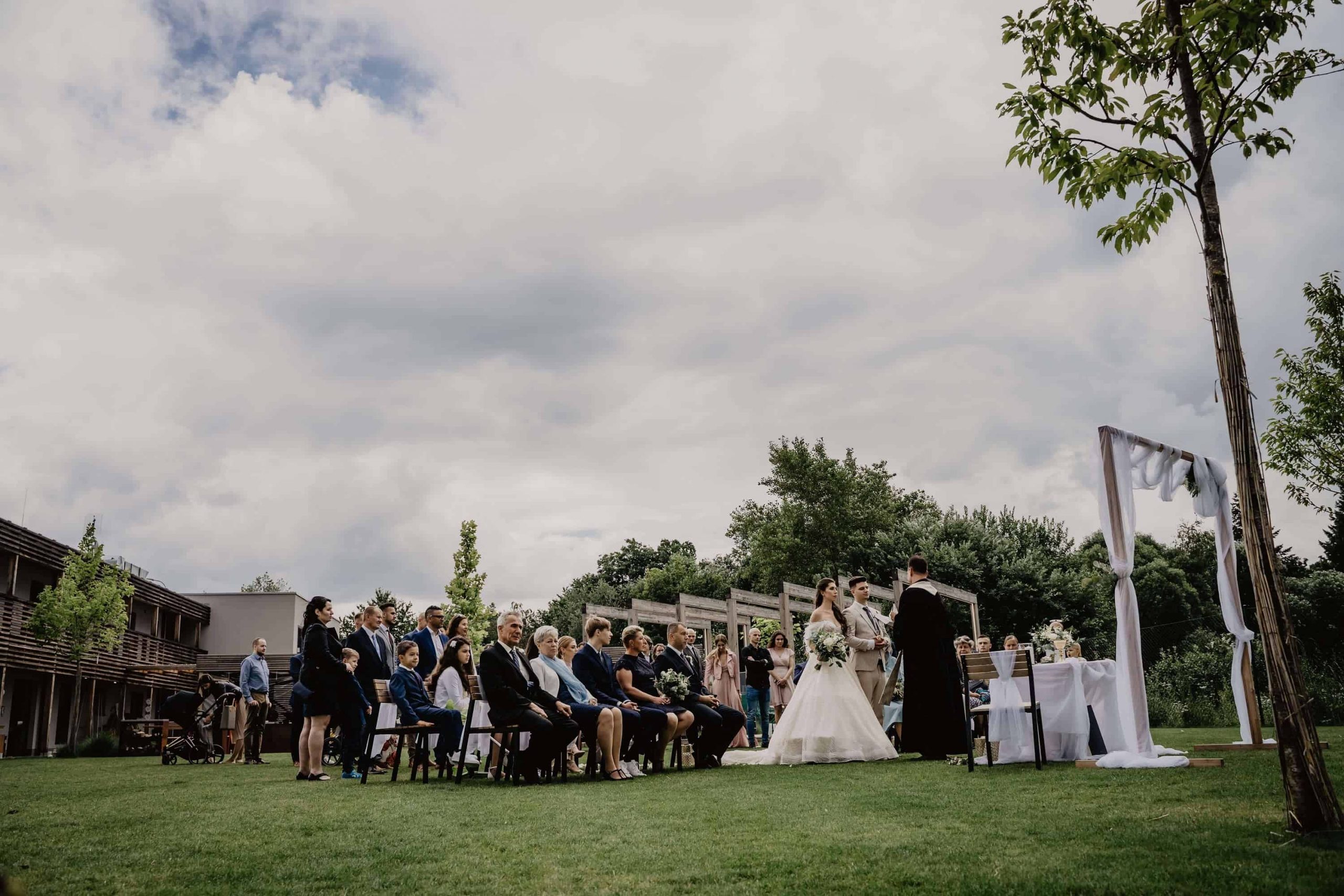
In recent years, the way we plan and organize weddings has undergone a quiet revolution. While the romance of walking down the aisle remains timeless, the logistics behind the scenes have shifted dramatically. One of the most notable—and arguably most practical—shifts is the rise of the Digital RSVP.
Gone are the days when couples had to eagerly wait by the mailbox for paper response cards, only to manually input data into a spreadsheet (or worse, decipher illegible handwriting). Enter the era of the QR Code RSVP Card.
With the simple scan of a smartphone camera, guests can now confirm their attendance, select their meal preference, and even leave a song request in seconds. For couples, this means real-time tracking, zero postage costs for return envelopes, and a significant reduction in paper waste.
However, bridging the gap between traditional formality and modern convenience can be tricky. How do you ask guests to “scan a code” without ruining the elegance of your invitation suite? How do you ensure Grandma knows what to do?
In this comprehensive guide, we will explore the world of digital RSVPs, providing you with expert advice, design rules, and over 15 copy-and-paste wording templates to make your transition to digital seamless and stylish.
Why You Should Switch to QR Code RSVPs (Beyond Convenience)
Before we dive into how to word your cards, it is important to understand why this shift is happening. It is not just about being trendy; it is about efficiency and guest experience.
1. Real-Time Guest Management
The moment a guest scans and submits, your guest list is updated. No more lost mail, no more “I think I sent it” conversations two weeks before the wedding. You can see who has opened the RSVPs, who is pending, and who has declined instantly.
2. Environmental Impact and Cost Efficiency
Traditional RSVP sets require:
- Use of an extra card (paper)
- An extra envelope (paper)
- A return stamp (cost)
By switching to a single QR code enclosure card or printing the code on the back of the invite, you significantly reduce the carbon footprint of your event. For a wedding of 150 guests, saving on stamps and extra premium cardstock can save upwards of $300-$500.
3. Data Richness
A physical card has limited space (usually just a line for a name and a checkbox for “Accepts”). A digital landing page allows you to ask for:
- Dietary restrictions (Gluten-free, Vegan, Allergies).
- Song requests for the DJ.
- Travel details (useful for arranging hotel blocks).
- Advice for the happy couple.
How to Create Your Own Wedding QR Code: A Technical Step-by-Step Guide
Creating the code is easy, but creating a code that prints well and scans perfectly requires attention to detail.
Step 1: Choose the Right Generator
Do not just Google “free QR code generator” and pick the first result. Many free services create codes that expire after 14 days or show ads when scanned.
- Recommended: Use the built-in tool provided by your wedding website host (The Knot, Zola, WithJoy, or Bliss & Bone). These are designed to last forever.
- Alternative: If using a third-party tool like Bit.ly or Canva, ensure you select a “Static” code if you don’t want to pay monthly fees, or a “Dynamic” code if you want the ability to change the link later (recommended).
Step 2: Test the “Quiet Zone”
A QR code needs a white border around it (called the quiet zone) to be scannable. Do not print your design or patterns right up to the edge of the code.
Step 3: High-Resolution Export
Never take a screenshot of your QR code. Always download the file in a high-resolution format (PNG or SVG). If the image is pixelated or blurry, your guests’ cameras will struggle to focus on it, leading to frustration.
Designing Your RSVP Card: Size, Placement, and Aesthetic Tips
Design etiquette is just as important as wording etiquette. A QR code is a functional element, like a barcode, and it can look harsh against soft floral designs or elegant calligraphy if not handled correctly.
The “One Inch” Rule
The absolute minimum size for a printed QR code should be 1 x 1 inch (2.5 cm). Anything smaller risks being unreadable, especially on textured paper. If you have older guests, consider sizing up to 1.25 inches for easier scanning.
Paper Choice Matters
- Matte Paper (Best): Ideal for scanning. It does not reflect light.
- Glossy/coated Paper (Avoid): The glare from overhead lights can blind the camera lens, making the code impossible to scan.
- Textured/Cotton Paper: Beautiful, but ensure the texture doesn’t break the black lines of the QR code. Test print one copy first.
Placement Strategy
Do not put the QR code on the main invitation (the card with your names and the venue). The main invitation should remain clean and traditional. Place the QR code on:
- A separate “Details” or “RSVP” enclosure card.
- The back of the main invitation (modern and eco-friendly).
- A belly band holding the suite together.
Essential Information to Include Beside the QR Code
A QR code standing alone is confusing. You must provide context and a safety net for those who cannot use it.
The “Safety Net” Rule: Always, without exception, print the full URL (web address) below the QR code.
- Why? Some guests may have broken cameras, or they may prefer to RSVP on a desktop computer later.
- Format: Keep it simple. Instead of
www.zola.com/wedding/sarahandjohn2025/rsvp, purchase a custom domain likewww.sarahandjohn.comthat redirects to your page.
The “Call to Action” (CTA): Tell them what to do. Use phrases like:
- “Scan to Reply”
- “Please respond via our website”
- “Point your camera here to RSVP”
Comprehensive Wedding RSVP Wording Templates
Here is the core of your card. Choose the template that matches your wedding’s vibe.
1. Formal & Traditional
Use for Black Tie, Ballroom, or Religious Ceremonies.
Option A (The Classic):
The favor of a reply is requested by the fifteenth of June.
Kindly scan the QR code to confirm your attendance or visit our wedding website: [www.yourweddingwebsite.com]
Option B (The Gracious Host):
R.S.V.P. We look forward to celebrating with you! Please respond by [Date] via the QR code below.
For those unable to reply online, please contact [Phone Number].

2. Modern & Minimalist
Use for Gallery, Loft, or Contemporary Weddings.
Option A (Direct):
RSVP Please reply by 09.20.2026
SCAN ME [QR Code Image]
or visit [www.website.com]
Option B (The “Details” Card approach):
For details, registry, and RSVP Please visit our wedding website using the camera on your phone:
[QR Code Image]
Kindly reply by July 1st.

3. Casual & Fun
Use for Backyard, Beach, or Rustic Weddings.
Option A (Enthusiastic):
Are you in? We can’t wait to party with you! Scan the code to let us know if you’ll be there.
RSVP by [Date] [QR Code]
Option B (Humorous):
Free Drinks & Bad Dancing (But only if you say Yes!)
Scan here to secure your spot on the dance floor. Please reply by [Date].

4. Destination Wedding Specifics
Destination weddings need more info (travel, hotels).
Pack Your Bags! Please visit our website to RSVP, view travel details, and book your accommodation.
[QR Code]
Kindly respond by [Earlier Date for Travel]. [www.destinationwedding.com]

5. Collecting Meal Choices & Song Requests
Use this text if your digital form is interactive.
RSVP & Preferences Please scan to reply, select your entrée choice, and request a song for the DJ!
[QR Code]
Please respond by May 10th.
Digital RSVP Etiquette: Do’s and Don’ts for Couples
Navigating the social landscape of digital invites requires finesse.
DO: Be Specific About Who Is Invited
One downside of digital RSVPs is that guests might assume they can bring a “plus one” or their children if the website allows it.
- The Fix: On your RSVP website settings, ensure you “lock” the guest list so only named guests can RSVP.
- Wording: On the card, you can add: “We have reserved 2 seats in your honor. Please scan to confirm.”
DON’T: Forget the Password
If your wedding website is password protected (for privacy), you must print the password on the RSVP card.
Scan to RSVP Website Password: LOVE2026
DO: Send Reminders
One of the biggest etiquette perks of digital RSVPs is the ability to follow up without being annoying. Most platforms allow you to send a gentle email blast 5 days before the deadline: “Friendly reminder! We need your headcount for the caterer by Friday.”
DON’T: Use “Public” QR Codes on Social Media
Never post a picture of your QR code invitation on Instagram or Facebook. Strangers can scan it and find your venue location, date, and personal details. Keep the digital invite tailored to your specific guest list.
Handling Non-Tech Savvy Guests: Backup Plans
The most common worry couples have is: “Will Grandma know how to use this?”
The etiquette solution is Hybrid RSVPing. While 90% of your guests will love the QR code, the remaining 10% (usually the elderly) will find it stressful. For these VIPs, you have two options:
- The Active Help: Call them personally a week after sending the invites. “Hi Grandma, I sent the invite! I can just mark you down as ‘attending’ right now over the phone if that’s easier for you?”
- The Paper Exception: It is perfectly acceptable etiquette to order a small batch (e.g., 10-20) of traditional paper RSVP cards with stamped envelopes just for your elderly relatives, while sending QR cards to everyone else.

Common Mistakes to Avoid When Printing QR Code Cards
Before you order 200 cards, run through this checklist to avoid a disaster:
- Low Contrast: Do not print a dark blue code on a black background. It must be high contrast (Dark code on Light background).
- Inverted Colors: Never print a White QR code on a Black background. Many standard barcode scanners and phone apps cannot read “inverted” codes effectively.
- Broken Links: Did you change your URL? Did you forget to hit “Publish” on your website? Test the link on three different devices (iPhone, Android, Desktop) before approving the printer proof.
- Too Small: We mentioned the 1-inch rule, but also consider the “crowding.” If you put the QR code right next to a floral graphic, the phone might try to focus on the flower instead of the code. Give it breathing room.
How to Track and Manage Your Digital Guest List
Once your QR code cards are in the mail, the fun begins. Here is how to manage the influx of responses:
- Set Up Notifications: Most platforms (The Knot, Zola) have an app. Turn on notifications to get a dopamine hit every time someone says “Yes!”
- The “Maybe” Pile: Create a tag or category for guests who reach out saying “I might be able to come.” Follow up with them 1 week before the deadline.
- Dietary Report: One week before the wedding, export your guest list to Excel/CSV. Filter by “Dietary Restrictions” and send this specific sheet to your caterer. This is much safer than flipping through 150 paper cards to find the one “Peanut Allergy.”
Conclusion: Streamlining Your Wedding Planning Experience
Embracing the QR Code RSVP is not just about using cool technology; it is about making your wedding planning journey smoother, more organized, and eco-conscious. By following the etiquette of clarity—providing backup URLs, choosing legible designs, and using polite but direct wording—you ensure that your guests feel taken care of from the moment they open the envelope.
Remember, the goal of the RSVP card is simple: to get an accurate headcount so you can celebrate your big day surrounded by the people you love, with plenty of food and drink for everyone. A little digital assistance goes a long way in making that happen stress-free.
FAQ: Common Questions About Wedding QR Code RSVPs
Is it considered rude to only offer a digital RSVP option?
In modern wedding etiquette, it is not considered rude, especially since it is eco-friendly and efficient. However, it is thoughtful to provide a “paper exception” or a dedicated phone number for elderly guests (like grandparents) who may struggle with smartphones.
Where should I place the QR code on my invitation suite?
Traditional design etiquette suggests keeping the main invitation card (the one with names and venue) clean and formal. It is best practice to print the QR code on a separate “Details” or “Response” enclosure card to preserve the elegance of your main invite.
Do free QR codes for weddings expire?
They can if you are not careful! If you use a generic free generator, the link might stop working after 14 days. To avoid this disaster, always use the built-in QR tool provided by your wedding website host (like The Knot, Zola, or Bliss & Bone) or purchase a “Dynamic QR Code” that never expires.
What is the minimum size for a printed QR code?
For a reliable scan, your QR code should be at least 1 x 1 inch (2.5 cm). If printed smaller, or on highly textured/glossy paper that reflects light, phone cameras may struggle to read it. Always test a printed proof before ordering in bulk.
How do I prevent guests from adding uninvited “Plus Ones”?
This is a huge benefit of digital RSVPs. Most wedding websites allow you to “lock” your guest list. This means when a guest enters their name, they can only RSVP for the specific people you have listed (e.g., “Jane Doe” vs. “Jane Doe & Guest”). check your website settings to ensure this feature is enabled.
How can I track who hasn’t RSVPed yet?
Digital RSVP platforms automate this for you. Instead of counting paper cards, you can log in to your dashboard to see a real-time list of “Pending” guests. Most platforms even allow you to send a bulk email reminder to only the non-responders with one click.
Can I customize the design of the QR code itself?
Yes! While the code needs to be high-contrast (dark on light), many generators allow you to round the corners, change the color (e.g., from black to deep navy or dark green), or even add a small icon (like a heart or your monogram) in the center center.
What text must be included next to the QR code?
Never display a code alone. Always include a clear Call to Action (e.g., “Scan to Reply”), the RSVP Deadline, and most importantly, the Full URL (e.g., www.ourwedding.com) as a backup for those who cannot scan.
Can I make my own QR code for free?
Yes. You can use tools like using Google Chrome’s “Create QR Code” feature for any URL, or free tools like Canva. However, for weddings, we strongly recommend using your wedding website provider’s native tool for better tracking and reliability.
Can I generate the QR code directly inside my design editor (like Corjl)?
Absolutely! If you are customizing a template on Corjl, you generally don’t need an external generator. Corjl often has a built-in “Add QR Code” feature in the customer tool panel. You simply paste your wedding website URL into the slot, and it instantly creates a high-quality, vector-based code right on your card. This is the safest method as it guarantees the code won’t be blurry when printed.
What happens if the QR code doesn’t scan?
Don’t panic! This is exactly why the “Back-up URL” rule is essential. Sometimes low lighting or older phone cameras can fail. If scanning doesn’t work, your guest will simply look below the code, type the website address (URL) you printed into their browser, and RSVP manually. Always ensuring the URL is legible is your fail-safe.